How to Change the Payment Method
1
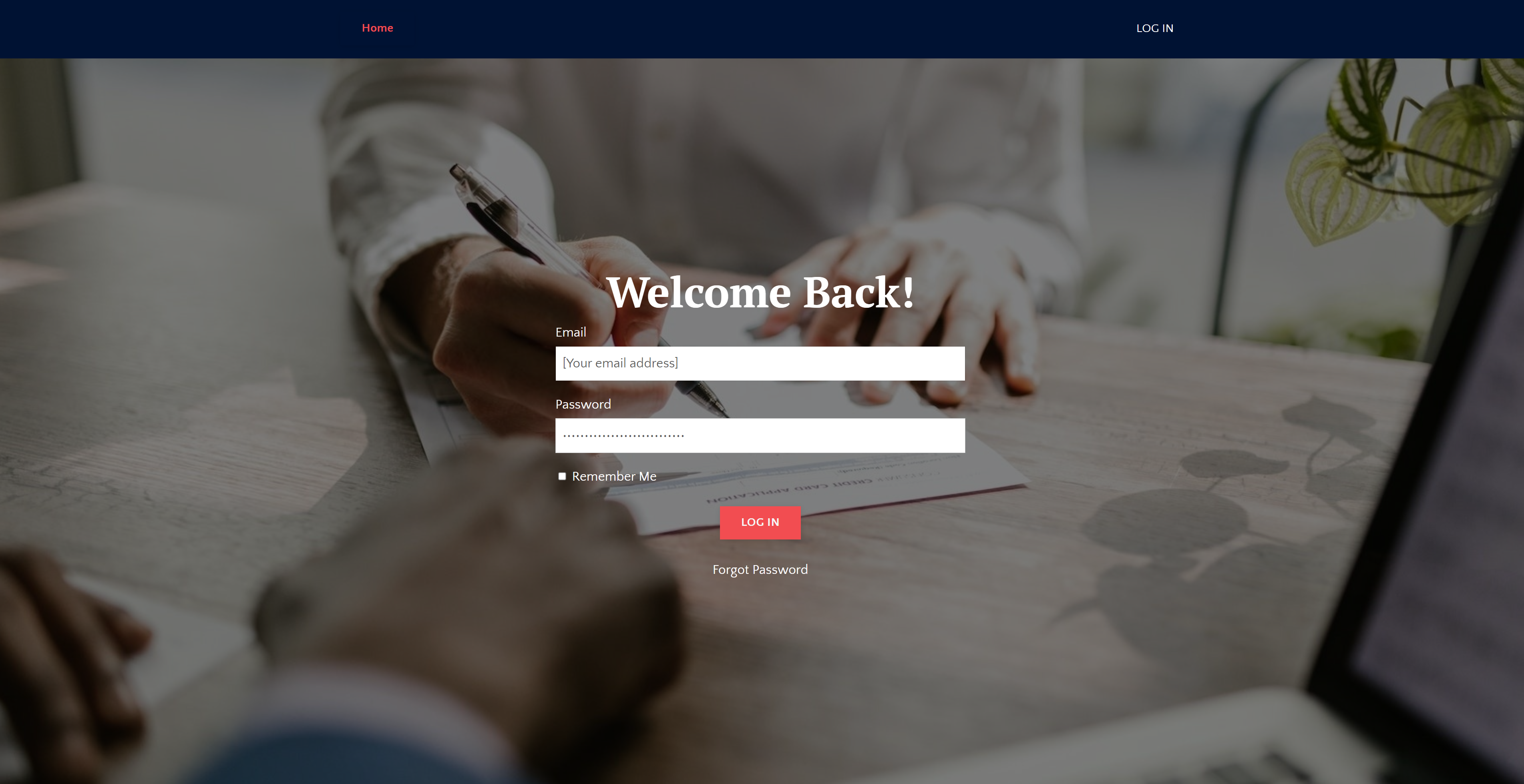
Log in to your student account
2
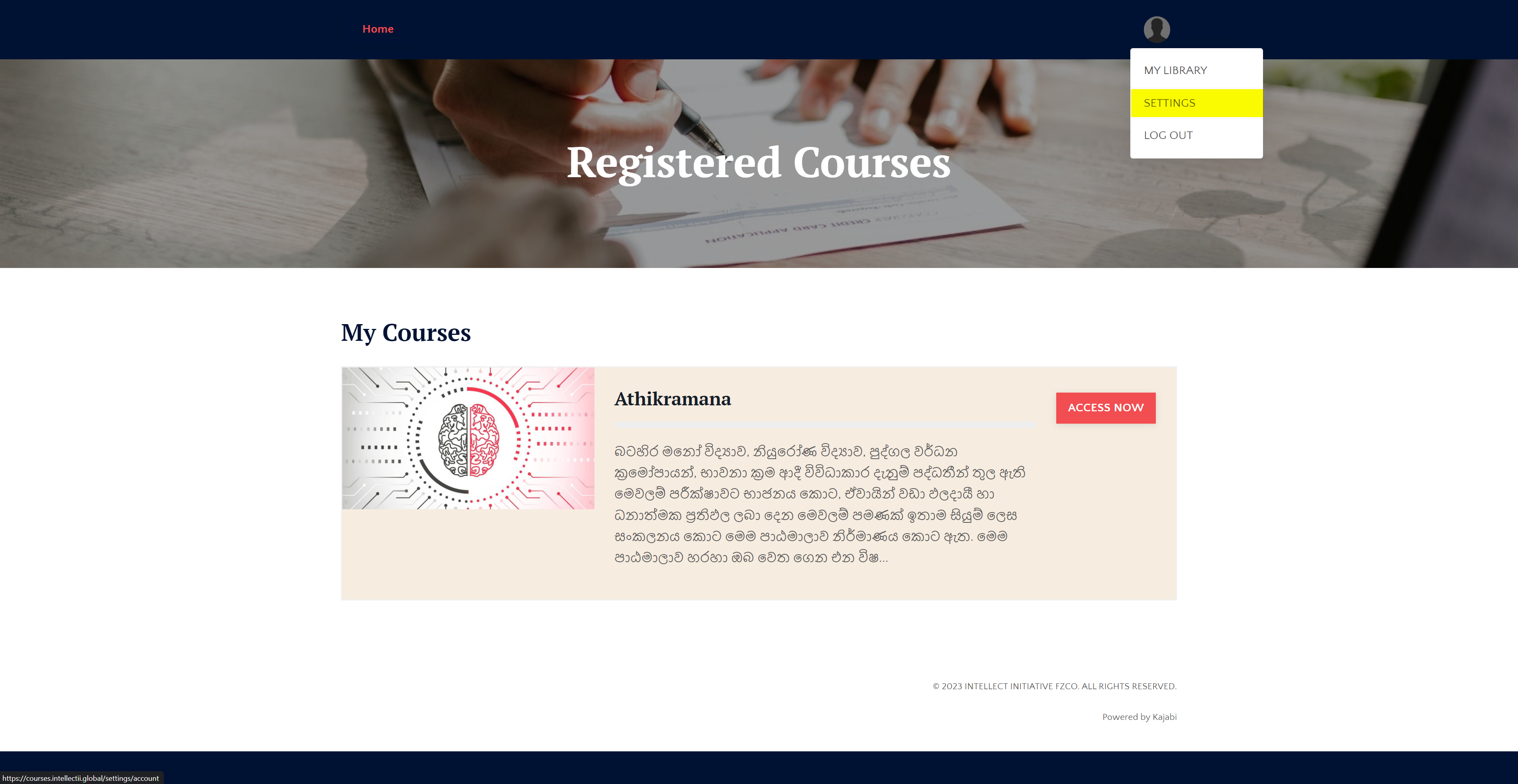
Click on you profile picture at the top right corner and then select ‘Settings‘
3
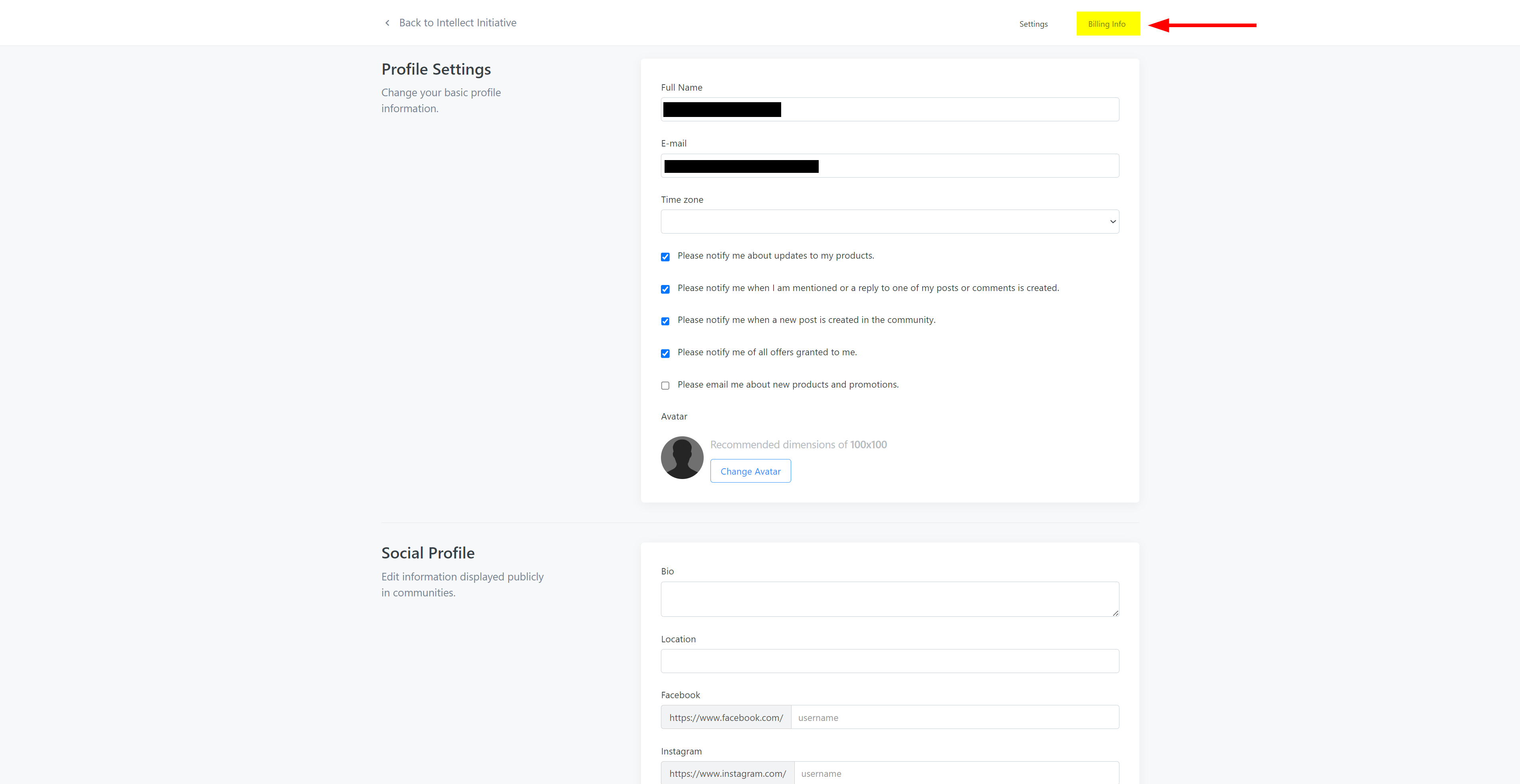
Click on ‘Billing Info‘
4
Find your card details and click on ‘Update’
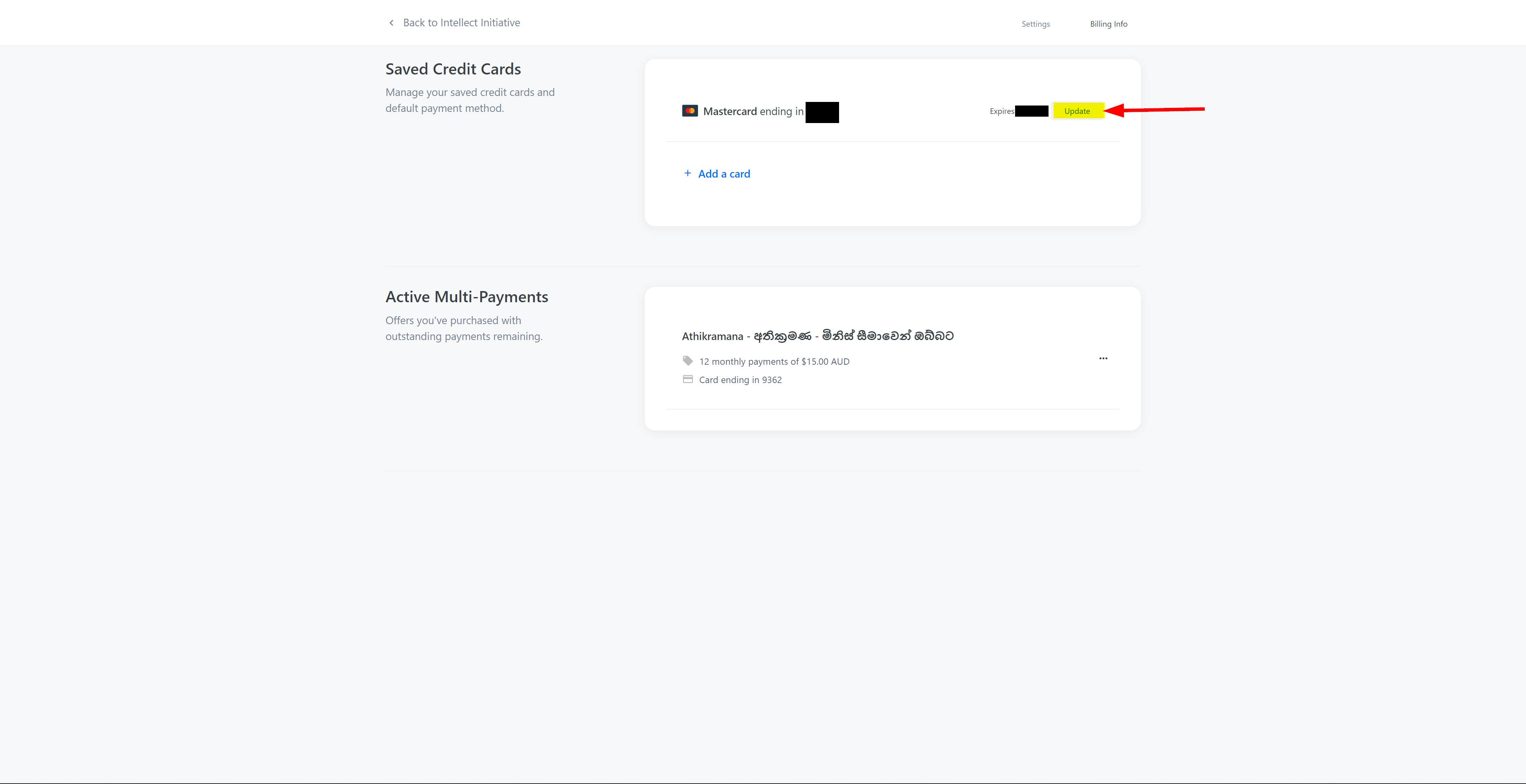
5
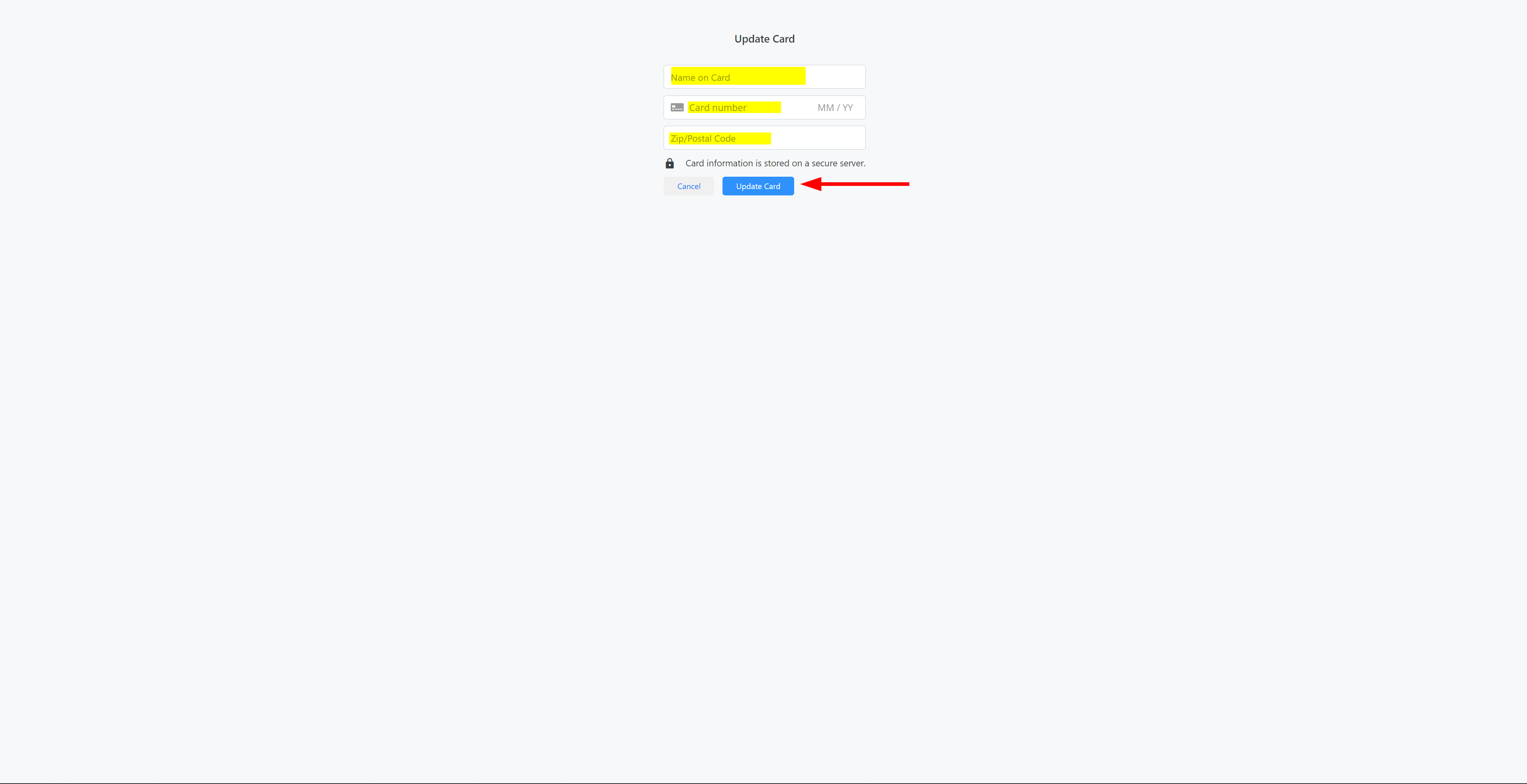
Fill the details of your new card and click ‘Update’